Scheduled jobs and webhooks keep work moving when nobody is signed in. In Retool, those workflows run with an admin's permissions, and nobody chooses which admin. A nightly report that needs one table runs with every permission that admin has.
That gives most jobs more access than they need. It also makes access reviews hard to answer, because the identity behind a run depends on whichever admin the workflow borrowed.
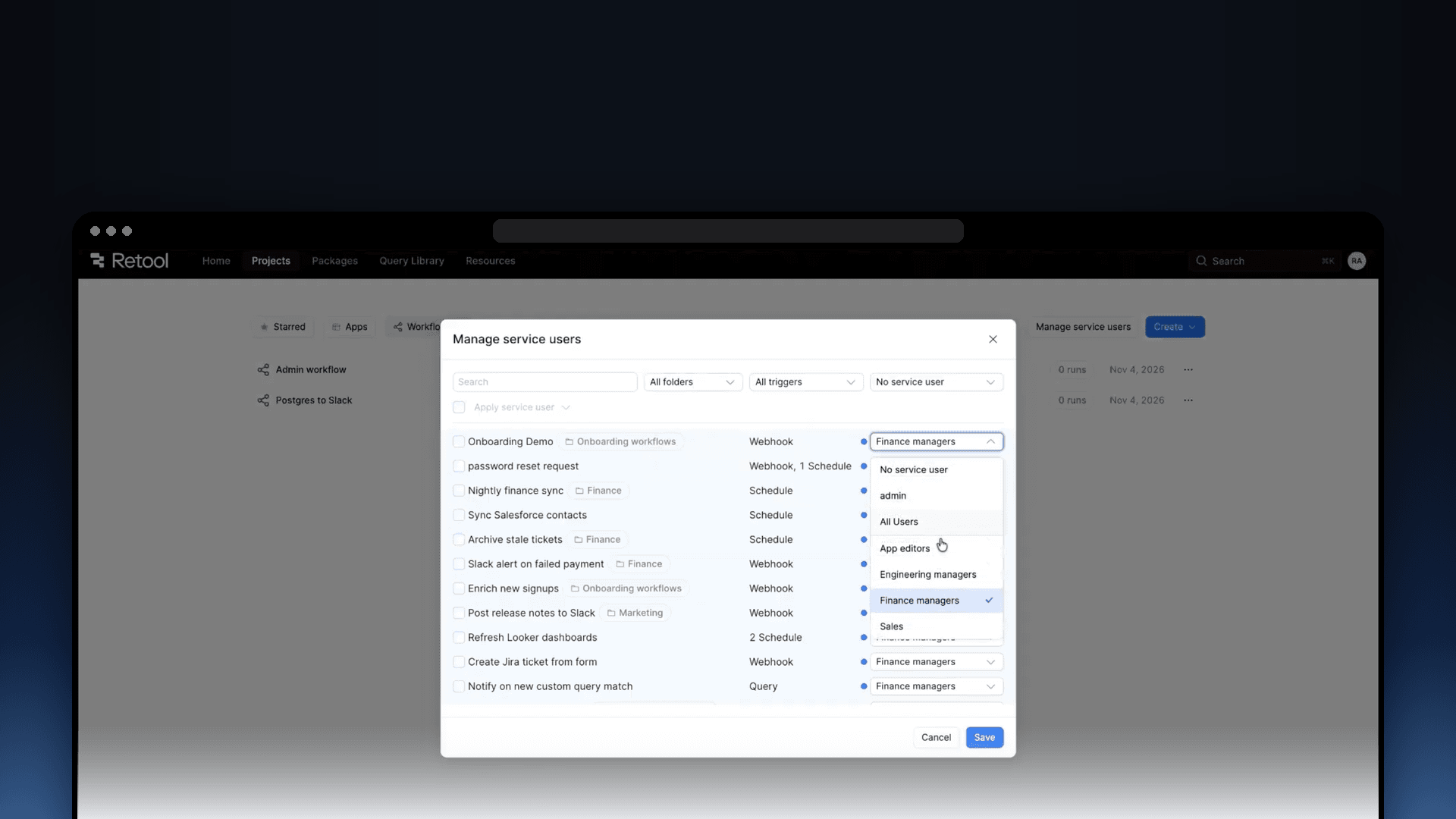
Service users for workflows change that. You choose a permission group, and Retool runs the workflow as a service user with that group's access. More builder groups can use workflows securely, and that nightly reporting job gets the reporting resources it needs and nothing more.
Service users also let unattended workflows query Postgres resources protected by Data Access Enforcement. Retool has an identity to evaluate, and your data access policies determine which tables, columns, and rows that identity can reach.

Choose the group your workflow runs as
A service user is a non-human identity tied to one permission group. You select the group in the workflow's Triggers panel, and Retool creates and manages the service user behind the scenes.
The group needs Use access to the workflow and to each resource it queries. Retool checks resource permissions when the workflow runs. If a query uses a resource the group cannot access, that query fails, and the rest of the workflow is not affected.
Different jobs get different access. A reporting workflow might need a Postgres resource and an email resource. An order-processing workflow might need your inventory database and shipping API. Give each group the resources its workflows need, then select that group as the run identity.
The setting applies to scheduled, webhook-triggered, and query-triggered runs. Manual runs in the editor and runs started from an app are unchanged. They use the person who triggered them if your organization has enabled the run-as-current-user beta. Otherwise, they retain the admin default.
Apply data access policies to scheduled work
When we launched Data Access Enforcement, unattended workflows could not query enforced resources because they had no supported run identity. A service user supplies that identity, so these workflows can run under the policies assigned to its group.
Take a nightly workflow that prepares a report of overdue invoices. It needs invoice numbers, due dates, and outstanding amounts from Postgres. It does not need customers' bank details.
Suppose you create a group called Billing reports for this job. Give it access to the workflow and the Postgres resource, then assign that group's service user to the workflow. On the resource, create a read-only policy that grants the invoice columns the report needs, and filters rows to overdue invoices.
When the schedule fires:
- The workflow uses the group's resource access. A query against a resource outside that access fails.
- The policy limits the data it can query. The report can read the permitted invoice columns and rows. A query selecting an ungranted bank-details column is blocked.
- Read-only access prevents writes. The reporting job cannot update invoices through that policy.
Resource permissions and data access policies work together. A policy can narrow the group's access, but it cannot grant access to a resource the group cannot use. Data Access Enforcement requires an Enterprise plan and currently supports Postgres.
The guide to workflows on enforced resources covers setup and policy requirements.
Control who can edit workflows and read results
Choosing a run identity also affects who can work on the workflow. Editors can only select groups they belong to, and once a service user is assigned, only admins and editors in that group can edit the workflow.
Run logs and block results are restricted too. Viewers need access to the workflow and membership in the service user's group. Audit events name the service user that executed each run, so you can tell automated activity from a person's activity.
Service users do not sign in or occupy a user seat. Their permissions come from the group you selected.
Roll out service users one workflow at a time
Start with a scheduled workflow whose resource needs you understand. Choose a group you belong to, and ask an admin to create one or adjust its permissions if needed. The group needs Use access to the workflow and its resources, and the teammates who edit the workflow or read its results need to be in the group too
In the Triggers panel, open Run Identity and choose the group from the Service user dropdown. Retool shows which resources the group can and cannot access. Resolve any gaps and publish. For an enforced Postgres resource, an active policy must also cover the group.
Check the next scheduled run in run history, or test through the workflow's webhook or query trigger. A manual run in the editor does not test the service user's access.
Existing workflows keep their current behavior until you assign a service user. Until then, unattended runs remain blocked on enforced resources.
Some workflows need additional changes before they can use a service user. Personal OAuth credentials and policies that rely on a person's email are not supported, and service user runs cannot execute agent queries, query Retool Vectors, or dispatch Retool Agent runs. The service user documentation covers the full compatibility details.
Available on Business and Enterprise
Service users for workflows are available on Business and Enterprise plans in Retool Cloud and on self-hosted releases from version 4.88. Pick one scheduled workflow and choose the group it should run as. The setup guide walks through the permissions, assignment, and publishing steps.