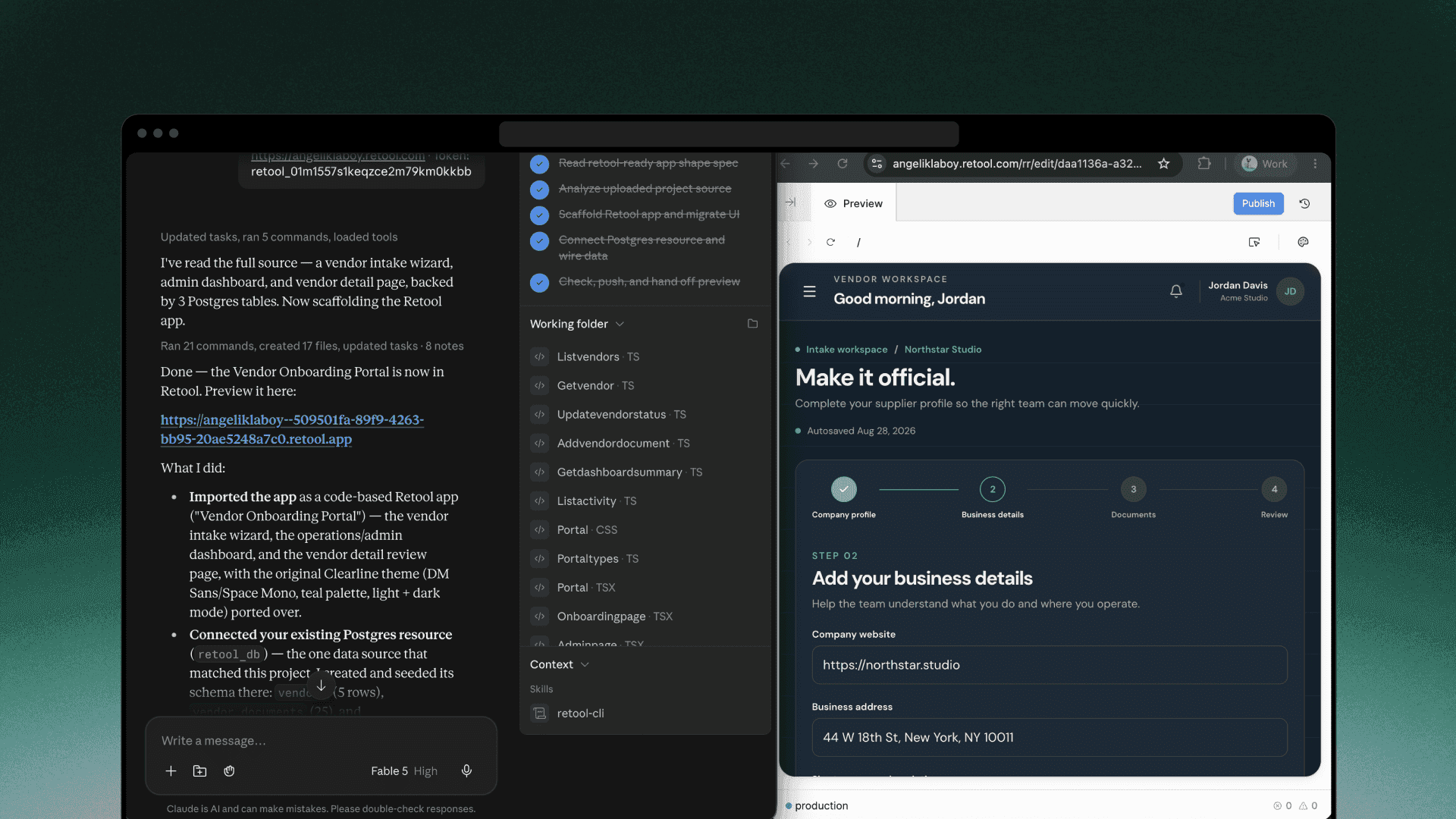
You can now build outside of Retool entirely using an AI agent through either the Retool MCP server or Retool’s command-line interface (CLI). They’re built for different kinds of tasks, but what sets them apart is who’s doing the building.
With MCP, you send a prompt to Retool from an external agent like Claude Code. Retool’s agent then builds the app and streams status back to Claude. With the CLI, your agent—Claude, Cursor, whatever you run locally—writes the app directly, checks its own work, and hands the result to Retool. Retool then handles permissioning, resource connections, and deployment.
Reach for the CLI when your build is substantial, involving multiple files, multiple lines, and benefits from a fast local loop. Reach for MCP when you’re reading, monitoring, or doing something resource- or admin-related outside of an actual build session.

What CLI is best for
Serious app development at work (whether you’re a seasoned engineer or just starting to build yourself) means importing code, touching multiple files, iterating repeatedly, reviewing diffs, and running checks in CI. The CLI works directly against the repo, so the code stays the source of truth. It returns structured errors an agent can fix locally, and scales with the size of the change—a bigger diff isn’t a bigger problem. That’s why the CLI is the better primary interface for building and maintaining an app.
It’s like the difference between fixing a leaky faucet yourself versus calling a plumber and describing the leak over the phone. The CLI is you under the sink: you can see the problem directly and fix it right there. MCP is the phone call: you’re relaying instructions to someone else who’s actually doing the work, and every misunderstanding costs another back-and-forth before the next attempt.
A few practical recommendations:
- Use the CLI when the task changes files in a repo.
- Use the CLI when the task needs to run in CI.
- Use the CLI when you’re working in a surface with bash access, like Claude Code, ChatGPT Work, Codex etc.
- Use CLI to import React apps built elsewhere into Retool.
When to use MCP
Retool’s MCP is built for discovering existing apps and resources, making small changes, managing and exploring resources and handling admin work—the things you do around a build.
A few practical recommendations:
- Use MCP when the task changes state in Retool itself.
- Use MCP for app building when you’re working in a chat-only surface, like the ChatGPT Chat app, since the CLI needs bash access to run.
A handy framework for when to use CLI vs. MCP
Why we built two building paths
Our MCP server complements our CLI. As an app build increases in complexity, prompts get more specific, which can make the MCP’s agent-to-agent building less efficient. When that happens, users can switch to the CLI.
The CLI is also better for large and complex app builds from scratch, and importing apps built in other AI workspaces like Replit and Lovable. Bash access is required for working in the command line interface, so you need to use an agentic coding environment like Cursor, Claude Code, or ChatGPT Work. You can’t run the CLI on a chat-only platform like ChatGPT.
MCP works everywhere. If you work in chat windows, MCP is your only option to build in Retool from Claude. This is why we’re continuing to invest in our MCP server—it still matters even if you hand off a build to the CLI. MCP is also the best way to query resources to understand data structure, to update user permissions, and for other tasks that support the app building and management process.
Another way to determine which tool to use is understanding how you work with an AI agent. If you like to share a vision for your app and let the agent fill in the details, try our MCP server. If you want more control over your local file context and build steps, CLI is more suited to your use case.
One more consideration is how the MCP server and CLI each use AI credits. MCP uses Retool’s agent to build, so you’ll use Retool AI credits unless you bring your own keys. CLI runs on the external agent on your local machine, so you only pay for the subscription you already have with frontier or open source model providers. Deploying an app in Retool, built through the CLI, does not use Retool AI credits.
Getting started with the CLI
If you’re not sure which surface best fits your next task, the framework above will help you get started. The CLI is in public beta for all cloud customers on paid plans now: @tryretool/cli if you’re working in a terminal, or install the Retool CLI plugin if you’re working from a desktop or browser app. Self-hosted customers get access in upcoming edge and stable releases. Either way, you don’t have to pick one surface and stick with it—most builders will end up using both, just for different parts of the job.