What is low-code? The enterprise guide
Overview
For decades, the people who knew what to build couldn't build it, and the people who could build didn't know what was needed. Here's why low-code fell short of solving that problem—and how AI AppGen is finally delivering on the promise.
Low-code was supposed to solve one of software development's oldest problems: the gap between the people technical enough to build things and the people close enough to business problems to know what should be built. Developers had the skills but lacked context; business teams had the context but lacked the tools.
Low-code application platforms (LCAP) attacked this problem by targeting "citizen developers." The pitch: democratize development to cut out the bottleneck. But simplicity is the enemy of flexibility. These platforms hit unnaturally low ceilings, and most professional developers avoided them entirely. At Retool, we took a different approach, aiming to help professional developers work with the people closest to the problems to craft exactly the apps they needed.
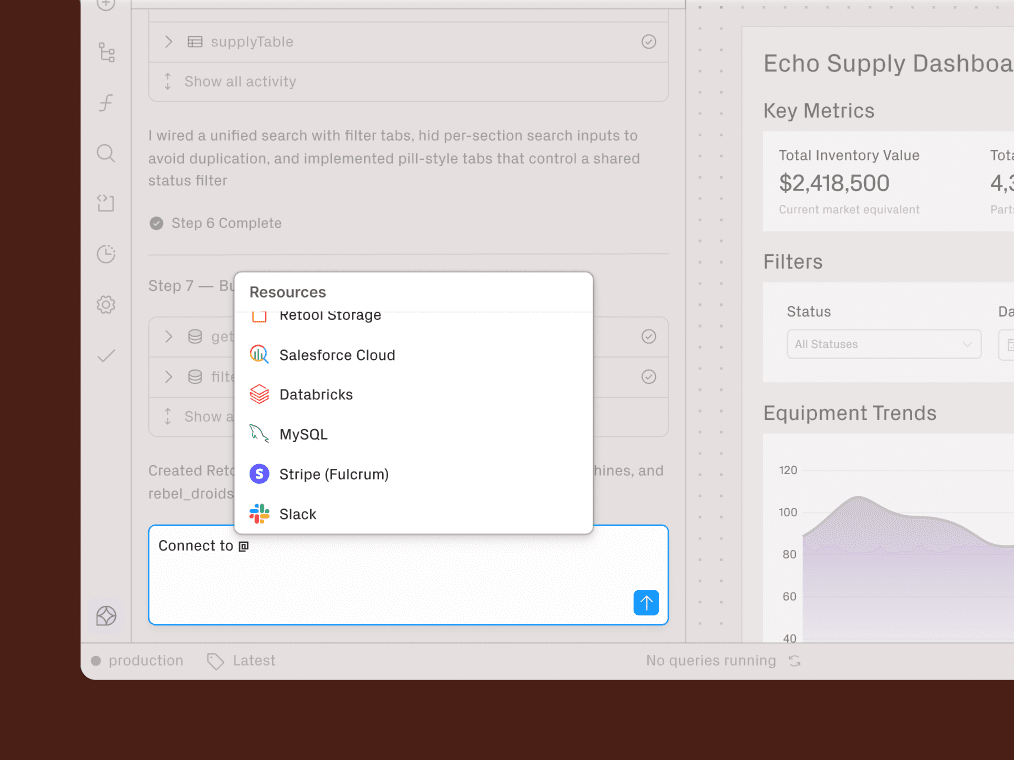
AI has changed this equation. With enterprise AppGen, teams can have simplicity and flexibility. Business experts can now describe their needs in plain language, while professional developers set guardrails and govern the architecture. Both groups, one platform.
Here's what low-code is, why it stalled, and what comes next.
What is low-code? A primer
Low-code is the development of software using a visual, drag-and-drop interface, while still requiring minimal to moderate code to bring products to production.
The goal is to increase code reuse. Low-code is highly composable: once you build a component in the visual IDE, it is easy to reuse it in different contexts.
The three components of low-code
A robust low-code platform generally consists of three major components: a visual IDE, connectors, and application lifecycle management.
1. A Visual IDE: This is the core of the platform: a drag-and-drop interface developers use to model workflows and declare logic.

2. Connectors: Connectors allow the platform to plug into backend services, databases, and APIs. These provide extensibility and production-grade functionality, underpinning how tightly the platform can integrate with your existing stack.

3. Application Lifecycle Manager: If a platform promises results that match traditional coding, it must offer tools for debugging, deployment, and maintenance across testing, staging, and production environments.
What is the difference between low-code and no-code?
Low-code and no-code are not the same thing. Low-code and no-code differ in who they’re built for and how much flexibility they allow: no-code removes code entirely to prioritize simplicity, while low-code reduces boilerplate but preserves the ability to write code when needed.
- No-code is designed for non-technical business users. It abstracts away code entirely, creating a closed system that locks users into the platform's existing UI and capabilities. The tradeoff: what you gain in simplicity, you lose in flexibility.
- Low-code is designed for developers. This idea is it abstracts away boilerplate while retaining the ability to write code when needed. In practice, most platforms bolted on code extensibility as an afterthought. You can't add custom components, styling is locked down, and complex queries or integrations require workarounds that defeat the point of using the platform in the first place.
With no-code, the guardrails become ceilings. With most low-code platforms, the ceilings are just higher, not gone.
This is why the starting point matters. Platforms built for citizen developers first will always treat code as an exception. Platforms built for professional developers treat it as foundational, which means extensibility is seamless rather than awkward.
Why enterprises chose low-code
Despite its limitations, low-code gained traction for real reasons. Enterprises adopted it to solve three persistent problems: faster time to value, improved developer productivity, and better allocation of developer time.
1. Faster time to value
Hand-coding every application is slow. The drag-and-drop interface handles otherwise time-consuming tasks:
- Initializing backends
- Building UI components
- Configuring APIs
- Provisioning hosting.
For straightforward applications, this meant weeks instead of months. But this speed only held for use cases the platform anticipated. The moment requirements exceeded the template, timelines ballooned.
2. Improved developer productivity
Pre-built components and reusable modules meant developers weren't starting from scratch every time. This composability compounds over time, at least within a single platform.
The catch was that these productivity gains often disappeared when teams hit the platform's limits and had to build workarounds or maintain parallel systems.
3. Better allocation of developer time
Engineering teams are perpetually behind schedule. Low-code promised to offload internal tooling and operations work, freeing developers to focus on customer-facing features and complex technical problems.
In some cases, it also allowed non-developers to participate in building and maintaining apps, further reducing engineering load. Without proper governance, this created shadow IT issues that engineering ultimately had to clean up.
Drawbacks of low code, and how AppGen solves them
For a long time, developers avoided low-code. They had good reasons.
1. Shadow IT and governance gaps
IT teams have long fought "shadow IT," the tools and apps that spring up outside official channels. Early low-code platforms made this worse: if anyone could build apps, nobody was minding security, compliance, or architecture.
AppGen introduces a three-persona model that builds governance into the workflow:
- Platform Engineers (professional developers in architecture roles) create the trusted building blocks everyone else uses. They encapsulate enterprise rules into components, set resource access permissions, and define what "compliant" looks like.
- Pragmatic Engineers are traditional developers who still build the most sophisticated apps and automations, and orchestrate how those fit together. They sometimes wear the platform engineer hat; they don't disappear just because business engineers exist.
- Business Engineers build within those guardrails. They can move fast because the guardrails keep them safe.
This isn't about restricting who can build. It's about creating a structure where more people can build responsibly.
2. Scalability limits
Early platforms optimized for simplicity, which meant shortcuts in architecture. Apps built on them struggled under load, couldn't handle complex data relationships, and buckled when user counts grew. Developers learned to assume that low-code meant low-scale.
By building for professional developers first, AppGen's foundation is an enterprise-grade architecture: proper state management, efficient database queries, and horizontally scalable infrastructure. The ceiling is the same as hand-coded apps because the underlying architecture is the same.
3. Maintenance burden
Apps that were fast to build often became nightmares to maintain. No version control, poor debugging tools, no clear way to hand off work to other developers. When the original builder left, so did the institutional knowledge.
AppGen addresses this with proper application lifecycle management: Git integration, environments, audit logs, the infrastructure professional developers expect.
4. Testing and reliability
Early platforms treated testing as an afterthought. No unit tests, no staging environments, no CI/CD integration. Apps went straight to production and broke in unpredictable ways. Enterprise teams couldn't trust them for anything mission-critical.
AppGen builds reliability into the platform from the start: proper environment management, version control, and deployment workflows that professional developers expect. And as AI capabilities become central to these applications, AI observability becomes even more critical. You need to understand what your AI agents are doing, why they made specific decisions, and how they're performing over time. AppGen includes built-in AI observability so teams can monitor, debug, and improve AI-powered apps without stitching together a separate toolchain.
5. Limited customization
This was the core problem with LCAP. To make platforms accessible to citizen developers, vendors simplified everything. But simplicity is the enemy of flexibility.
Most platforms eventually added code extensibility, but it was bolted on after the fact. The result was friction: custom logic felt like a workaround rather than a natural extension. Developers who needed to go beyond the visual builder found themselves fighting the platform instead of building with it.
Retool changed the starting point. Because the platform was built for professional developers first, code extensibility is native rather than awkward. With AppGen, builders can describe functionality in plain language and receive standard, compliant code. The visual interface still handles the common cases, but the ceiling is dramatically higher.
Low-code for startups vs. enterprises
Context matters. Low-code looks very different depending on the size of your organization and the problems you're trying to solve.
Why Startups choose low code: Speed is survival
Startups are resource-constrained by definition. Engineering time is the scarcest asset, and every hour spent on internal tooling is an hour not spent on the core product.
Low-code changes this math in three ways: It makes internal tools quicker to build, it turns backend developers into full-stack developers, and it helps you validate ideas faster.
- Internal tools stop being a tradeoff. When a tool takes an afternoon instead of a sprint, you can actually build the inventory tracker or admin panel your ops team needs. Ramp has built over 100 internal solutions with Retool, covering everything from risk operations to customer support.
- Backend developers become full-stack. Low-code abstracts away frontend complexity, so a backend engineer can ship a complete app without wrestling with CORS, API routes, or UI frameworks.
- Product-market fit comes faster. MVPs and prototypes don't require full infrastructure investment. Ramp's product team built a working prototype for their vendor management feature in 15 minutes, letting them validate the concept before committing engineering cycles.
Why Enterprises choose low code: governance and modernization
Enterprises don't lack resources the way startups do. They lack agility. Legacy systems, technical debt, and siloed data slow everything down.
Low-code addresses this differently by integrating legacy systems, connecting silos, swapping spreadsheets for interactive tools, and doing it all in a safe, secure way. it X, it Y, it Z. (Summary from below text).
- Modernizing without replacing. Ripping out legacy infrastructure is expensive and risky. Low-code wraps these systems in modern UIs and automates the manual processes they require. Komatsu's Australian support center handles 8,000+ emails and calls per month across dozens of disconnected systems. They built an agentic application in four weeks that connects systems with APIs, systems without APIs, files in blob storage, and RPA bots, projecting 22,000+ hours saved annually.
- Connecting silos. Enterprise data lives in disconnected systems. Segment's support team was digging through layers of data from different sources to debug customer issues. They built a dashboard that consolidated everything into a single timeline, letting agents see all relevant information in one place and respond faster.
- Moving off "digital paper." Many enterprises still run on spreadsheets and passive dashboards. Holland & Barrett’s Chief Data Officer put it simply: "It's not enough to just create reports or dashboards. We needed to get interactive tools into the hands of our business colleagues so that they weren't just passively consuming data, but actually interacting with the data."
- Scaling governance across the org. This is where AppGen's platform engineer model matters most. Holland & Barrett built a governance tool called iTransform that's now used by 200+ senior decision-makers across the organization. With Retool, they can build data capability without hiring full-stack engineers for every project.
The future: from low-code to Enterprise AppGen
Recent advancements in generative AI integration have expanded the functional capabilities of low-code platforms.
AI lets builders describe what they need in plain language and get standard, compliant code back. The platform engineer sets the guardrails once; the business engineer builds within them indefinitely. Apps that used to require weeks of engineering time can now be prototyped in an afternoon and evolved into production systems without a rewrite.
This is what changes: the backlog gets shorter, the gap between "idea" and "working software" shrinks, and the people closest to business problems can finally solve them directly.
The problem the industry has been chasing for decades is the same. The technology to solve it is not.
Click here to give Retool’s enterprise AppGen platform a try, or here to book a demo with our team.
Related content

Low-code FAQs
Low-code is the development of software using a visual, drag-and-drop interface, while still requiring minimal to moderate code to bring products to production.
The goal is to increase code reuse. Low-code is highly composable: once you build a component in the visual IDE, it is easy to reuse it in different contexts.
Low-code and no-code are not the same thing. Low-code and no-code differ in who they’re built for and how much flexibility they allow: no-code removes code entirely to prioritize simplicity, while low-code reduces boilerplate but preserves the ability to write code when needed.
Despite its limitations, low-code gained traction for real reasons. Enterprises adopted it to solve three persistent problems: faster time to value, improved developer productivity, and better allocation of developer time.
Ready to explore Retool?
If your team is still living in spreadsheets—or if your engineers are spending cycles re‑building the same CRUD UI—give Retool a try.