View all use cases

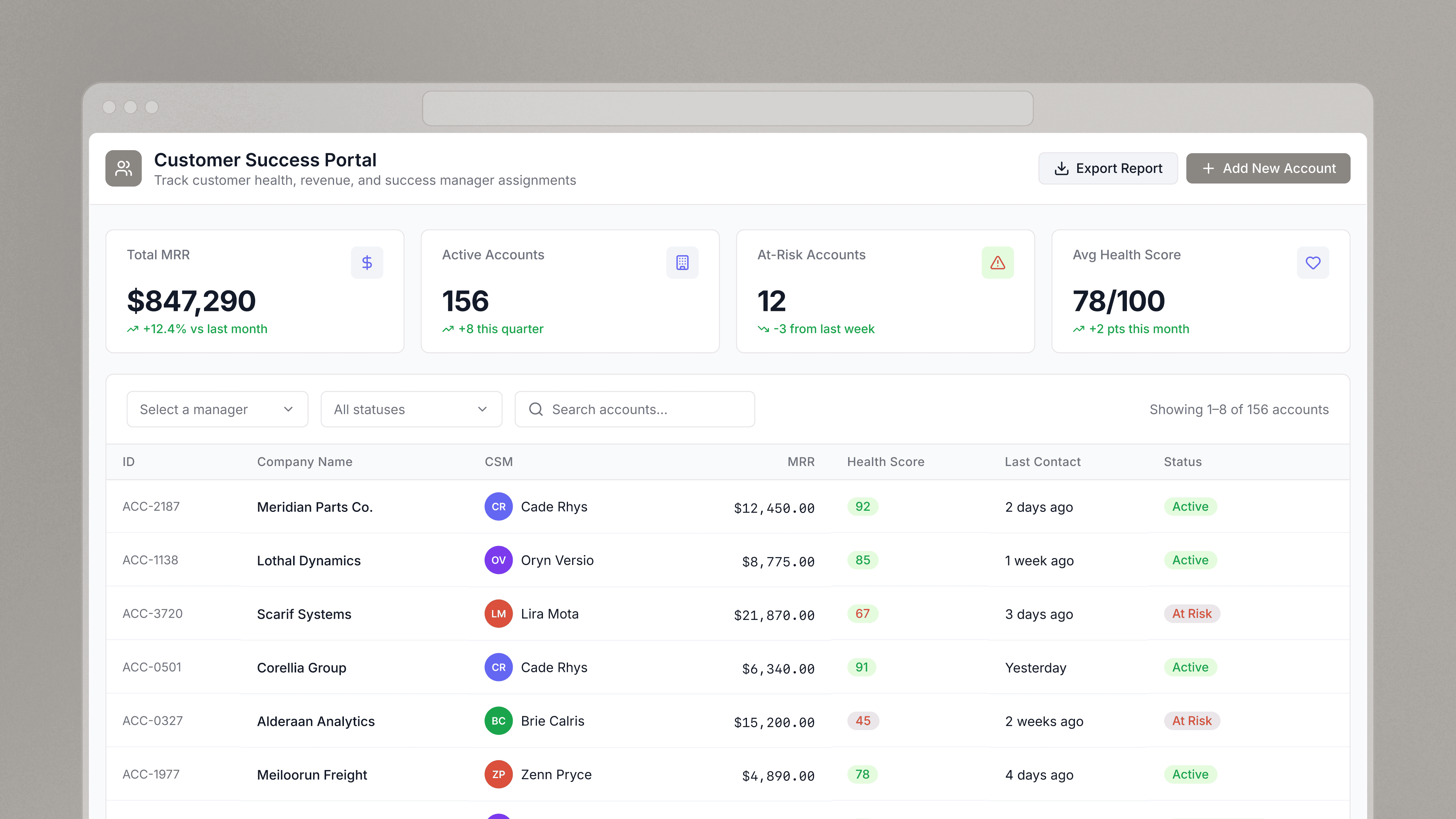
Customer onboarding dashboard

A dashboard to help you vet partners and customers before you start doing business with them.

Book a demo

Industry

financial-servicessoftware-as-a-service

End users

operationsmarketing-and-sales

Components

Table
Button
Text Input
Text
2+
Customer onboarding dashboard
Components

Build from a handful of drag-and-drop components

Text
Text provide context so that your team is clear about the discounts and offers they are approving.
Date Range Picker
Date Range Picker filter results by a date range to narrow results or to view offers that are expiring soon.
Text Input
Text Input when connected to your user database, a text input field can be used to search for an applicant by any indexed data point (e.g., name, domain, company, email).
Button
Button refresh results from filters and submit deal information to a platform like Stripe.
Table
Table displays a table of deal applicants that can be sorted and filtered using the search text inputs.
Multi Select
Multi Select filter results by more than one factor such as application status and progress.
Integrations

Data source

To explore and update your customer and partner applications, you’ll need to connect to a data source. In this example, we used a simple Google Sheet as a datasource but this tool could be built on top of many data sources. See Retool integrations here.

Step 1 Create resource1. Create resource
Step 2 Read data2. Read data
Step 3 Connect data with UI3. Connect data with UI

From startups to Fortune 500s, the world's most effective teams use Retool to build custom business software. See our customers.

amazon logostripe logoplaid logobrex logoorange-theory logoramp logogong logoburgerking logo

Retool is incredible. It's been a critical for our ops from the start, and is the reason we’re able to scale so quickly. And the on-prem version with access controls & audit logs makes it easy to meet our compliance requirements.

Pedro Franceschi

Co-founder and CTO at Brex